What this blog covers
Multi-outlet ordering platforms succeed when the front end stays fast, the menu engine handles customisation without clutter and the integration layer keeps outlets, stock and orders in sync. The Pizza Pizza Mexico case study describes a decoupled Angular single-page app with a Laravel REST API and server-side rendering, a real-time integration with the Posist system, a dynamic menu engine, an English and Spanish locale-first architecture and a three-step checkout. This article turns those choices into a reusable blueprint and explains the local SEO and GEO benefits of clean structured data.
Quick Answer: Separate the ordering front end from the back end through an API, render the first view on the server so pages load quickly and stay crawlable, and connect outlets, inventory and orders to the point-of-sale in real time. Build the menu as data with rules, so customisation and outlet differences need configuration rather than code. Keep checkout to a few steps with inline validation and a persistent cart, build languages in from the start and publish structured menu, hours and location data so that search engines and assistants can answer ordering questions.
Table of Contents
- What Makes Multi-Outlet Ordering Hard
- Lesson One: Decouple, Then Render on the Server
- Lesson Two: Treat the Menu as a Rule Engine
- Lesson Three: Real-Time Sync With the POS
- Lesson Four: A Short, Forgiving Checkout
- Lesson Five: Language and Structure From Day One
- Local Search and AI Answers
- The Online Ordering Architecture Framework
- Client Proof From Our Work
- Key Takeaways
- CXO Takeaway
What Makes Multi-Outlet Ordering Hard
A single-outlet restaurant can run on a template. A national chain cannot. Menus differ by region, prices vary, promotions run in some outlets and stop in others, and delivery coverage depends on the kitchen. Customers also customise heavily: sizes, crusts, toppings, sauces, halves and combos, each with its own price effect.
Speed matters as much as logic. Food ordering happens on phones, often on mobile networks, at moments of hunger and impatience. A slow page loses the order to a competitor’s app in seconds. Our guide on full-funnel CRO strategy makes the broader case for speed and simplicity, and the piece on industry-specific UX design shows how ordering journeys differ from standard retail.
Lesson One: Decouple, Then Render on the Server
The Pizza Pizza Mexico case study describes the starting point as slow single-page app performance among six obstacles. The solution used a decoupled Angular front end with a Laravel REST API, plus server-side rendering. The case study reports that pages now load in under two seconds, without stating a period or a before figure.
The pattern is worth copying. A decoupled front end lets design and engineering teams move at their own pace, and the API gives other channels, such as a mobile app or kiosk, the same data. Server-side rendering sends a ready page to the browser, which speeds up the first view and gives crawlers real content to read. Our guide on server-side versus client-side rendering explains why this choice affects search, and the overview of headless commerce for enterprises covers the wider architecture.
Lesson Two: Treat the Menu as a Rule Engine
Heavy menu customisation breaks simple product models. A pizza has a size, a crust, a sauce, a set of toppings with limits, optional extras and combo rules, and each choice changes the price and sometimes the available options.
The case study describes a dynamic menu engine with contextual filters. The design principle behind that is to store menu items, modifiers, rules and prices as structured data, and let the front end render whatever the rules allow. Configuration then handles outlet differences, seasonal items and promotions. Engineers can skip shipping new code for each campaign.
Add browse structure around the engine. The project added a category hierarchy, filtered browse pages and breadcrumbs, which help customers find items and give search engines a clear map of the menu.
Lesson Three: Real-Time Sync With the POS
Order and inventory sync gaps appear in the case study’s list of obstacles. A website that sells an item the kitchen has run out of creates a bad experience and a refund. A POS that never hears about web orders creates chaos behind the counter.
The solution connected the ordering site to Posist in real time for routing, inventory, subscriptions and accounting, so that four systems move as one, in the case study’s words. The lesson is to treat the integration layer as a product: define contracts, handle retries, log every message and alert on delays.
Plan for failure. If the POS goes offline, decide whether the site pauses ordering for that outlet, queues orders or shows an estimated delay. Our guide on why growth brands choose a managed storefront discusses related integration trade-offs for retail platforms.
Lesson Four: A Short, Forgiving Checkout
Checkout abandonment is another obstacle the case study lists. The response was a three-step checkout with inline validation, a persistent cart and an integrated payment provider, Fiserv.
Short flows work best for food. Ask for the minimum, validate fields as people type and keep the cart across sessions and devices, since many customers browse at lunch and order at night. Show the total, fees and delivery estimate early, and support the payment methods local customers use.
Test the unhappy paths: declined payments, address errors, closed outlets and out-of-stock items. A clear message and a quick route to a fix save orders that would otherwise vanish.
Lesson Five: Language and Structure From Day One
The case study mentions duplicated English and Spanish content as an obstacle, and the answer was a locale-first architecture. Building languages in from the start avoids parallel copies of pages that drift apart. A single content model with locale variants keeps menus, prices and descriptions aligned.
For search, locale-first design supports proper language and region signals, clean URLs per language and consistent structure across versions. Our guide on building an SEO-friendly architecture for a global market covers these points in depth.
Local Search and AI Answers
Ordering queries are local and urgent. People search for a brand name plus a location, or ask an assistant for a pizza place open now near them. The facts that answer those questions are opening hours, address, menu, delivery or pickup options and ordering links.
Google’s guidance on local business structured data explains how to tell Google about business hours and other details, with properties such as opening hours specifications, and the same documentation shows menu information in its examples. Give each outlet its own page with its own hours, address, menu link and order button, rather than a single page that lists them all. Our guide on Google Business Profile optimisation for hyper-local SEO covers the profile side of the same work.
Assistants rely on clean, consistent data. When the website, the business profiles and the delivery apps agree on hours and menu, answers stay accurate. Our GEO playbook explains why consistency earns citations, and Google’s page on AI features in Search confirms that standard SEO fundamentals apply to those features.
The Online Ordering Architecture Framework
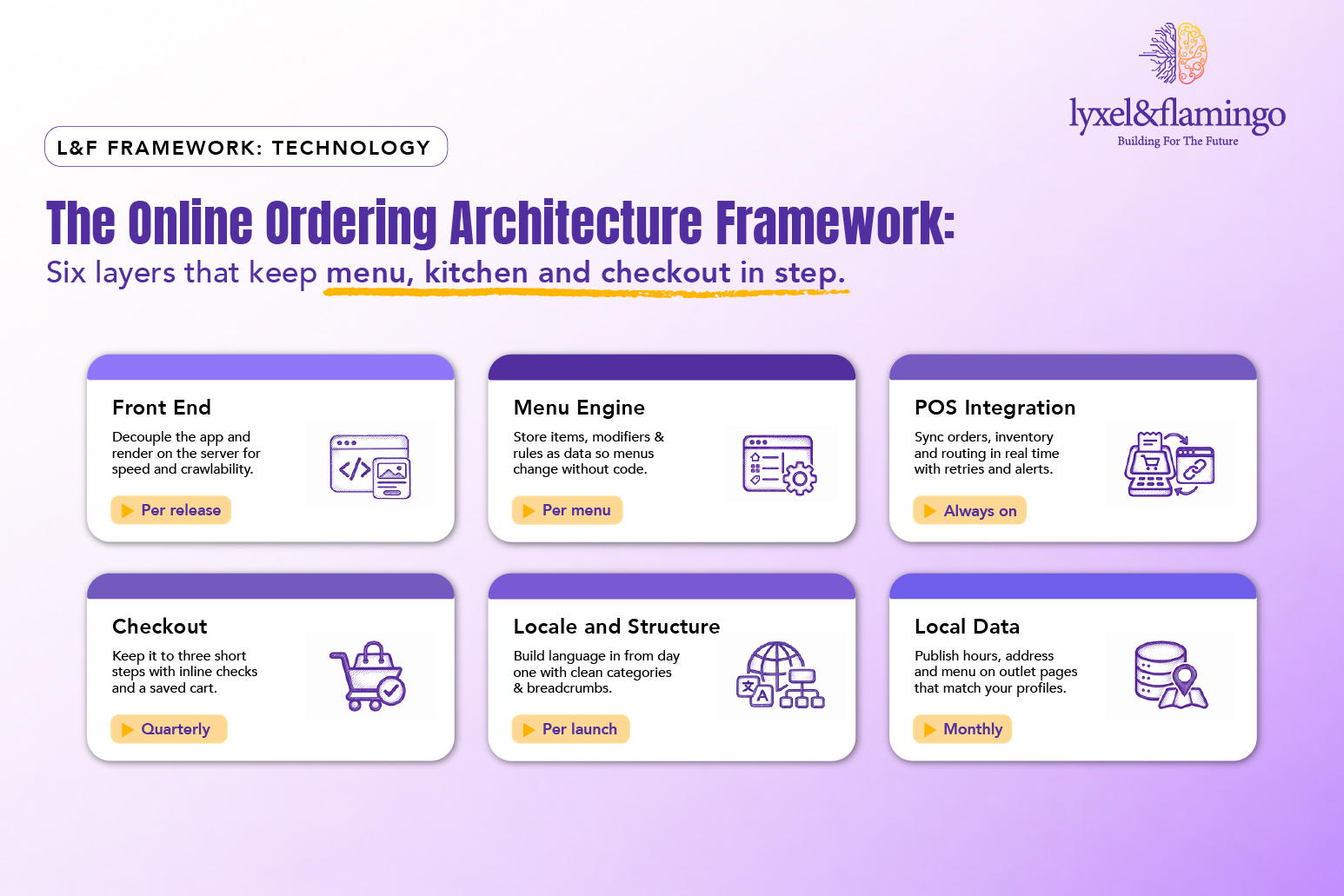
Framework Explained
Treat the six layers as a build order. Each layer depends on the one before it, so finish the foundations before polishing the details.
Step 1: Front End. Separate the app from the ordering engine and render pages on the server so crawlers and slow phones receive content quickly. Check: key pages load in about two seconds on a mid-range phone.
Step 2: Menu Engine. Model items, sizes, toppings and rules as data. Marketing can then launch a deal or change a modifier without a developer. Check: a new menu item goes live from an admin screen in minutes.
Step 3: POS Integration. Connect orders, inventory, routing and accounting to the point of sale with retries and alerts. The ordering site and the kitchen must see the same truth. Check: a cancelled item disappears from both systems within seconds.
Step 4: Checkout. Keep checkout to three short steps, validate fields as people type and save the cart between sessions. Check: abandonment at each step is visible and reviewed monthly.
Step 5: Locale and Structure. Build English and local-language content as separate locale records, and organise the menu into categories with breadcrumbs. This avoids duplicate pages and helps search. Check: every page has one canonical version per language.
Step 6: Local Data. Publish hours, address, phone and menu on outlet pages that match your business profiles. Check: a customer who searches an outlet name finds consistent facts everywhere.
CLIENT PROOF POINT: Lyxel&Flamingo built the Pizza Pizza Mexico ordering platform with a decoupled Angular front end, Laravel REST API, server-side rendering, real-time Posist integration and a three-step checkout. The case study reports that pages now load in under two seconds and that four systems move as one. Read the full Pizza Pizza Mexico case study. It publishes zero further figures, so this article makes zero further claims.
Client Proof From Our Work
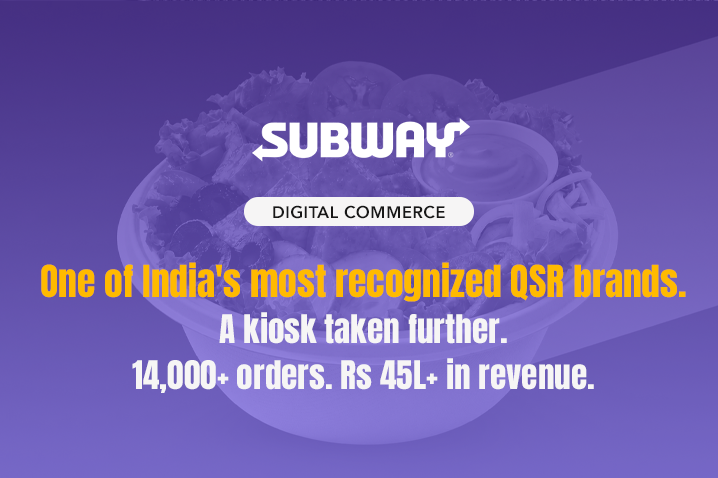
Ordering systems earn their keep when many parts move together. These three engagements describe that work for food brands and quick-service chains.
The pages state zero periods, so treat the figures as direction. Pizza Pizza is the closest match to this guide, and Taco Bell and Subway India show the same integration thinking at larger store counts and on kiosks.
Key Takeaways
- Decouple the ordering front end, and render the first view on the server for speed and crawlability.
- Model the menu as data and rules, so customisation needs configuration rather than code.
- Sync outlets, inventory and orders with the POS in real time, and plan for outages.
- Keep checkout to a few short steps with inline validation and a persistent cart.
- Publish structured hours, address and menu data for each outlet to answer local and AI queries.
CXO Takeaway
If your busiest outlet ran out of an item at 8 pm, how long before your website stopped selling it? The gap measures your integration. Lyxel&Flamingo’s technology team designs ordering platforms around that answer.
Frequently Asked Questions
A decoupled front end with server-side rendering, a REST API, a rule-based menu engine and real-time integration with the point-of-sale.
As structured data with modifiers and rules, so that outlet differences and promotions are configured rather than coded.
It speeds up the first view on mobile and gives search engines complete pages to crawl.
Publish accurate hours, address, menu and ordering links for each outlet, mark them up where possible and keep every profile and app consistent.