What this blog covers
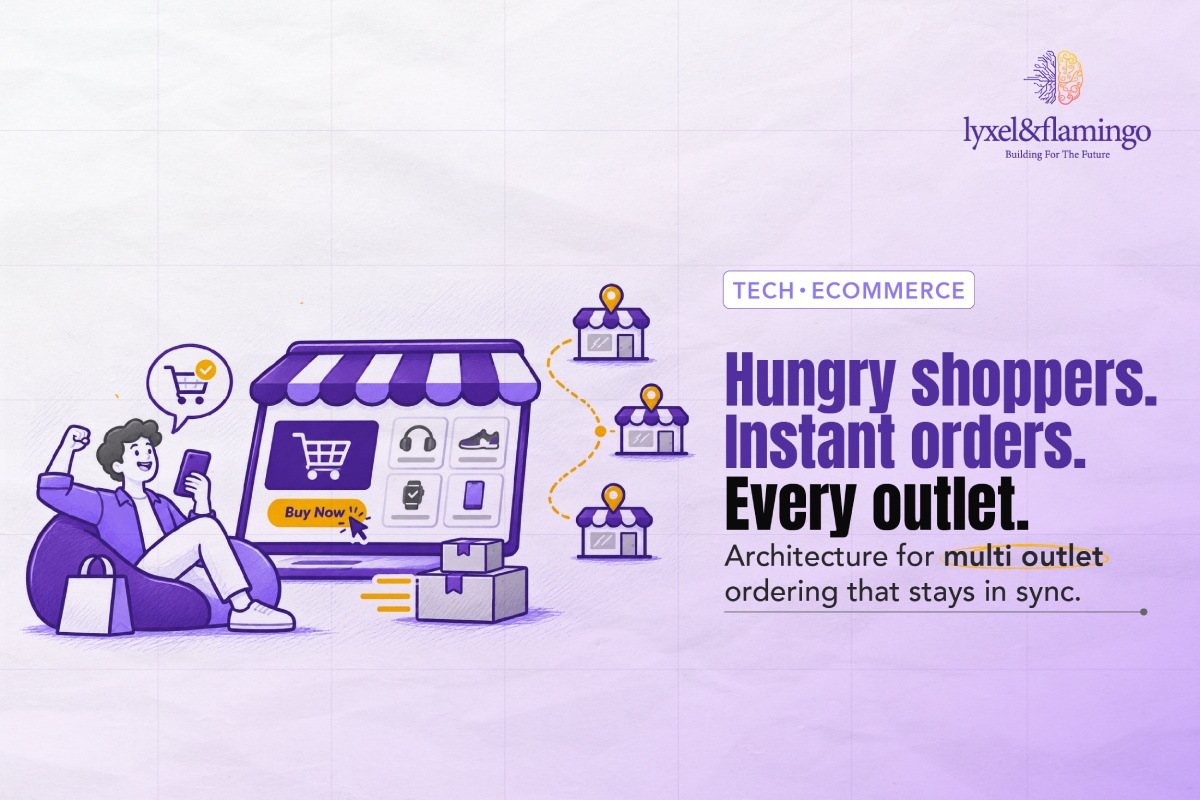
Ecommerce integration works when each piece of data has one owner, flows through a defined pattern and carries safeguards for failure. Inventory, price, order status and customer data need clear sources of truth. Webhooks and queues suit near-real-time events, scheduled syncs suit bulk updates, and every flow needs retries, logging and alerts. Accurate stock and price feeds protect product rich results and give AI assistants reliable availability facts.
Quick Answer: Name one system as the owner of each data type: the ERP or WMS for stock, the commerce platform for orders, the ERP for invoices and the catalogue system for product data. Use events through webhooks or message queues for stock changes and order creation, and scheduled batches for large catalogue updates. Add idempotency so a repeated message never creates a duplicate order, build retries and dead-letter queues for failures, log every transaction with an order reference and alert on sync delays. Test with realistic peak volumes before every major sale.
Table of Contents
- Why Orders Break at the Seams
- Step One: Assign Data Ownership
- Step Two: Choose the Integration Pattern
- Step Three: Design for Failure
- Step Four: Test Like a Sale Day
- Step Five: Monitor After Launch
- Accurate Data for Search and AI Assistants
- The Integration Framework
- Client Proof From Our Work
- Key Takeaways
- CXO Takeaway
Why Orders Break at the Seams
Most integration failures share a cause: two systems both believe they own the same fact. The storefront thinks it owns stock because it decrements on purchase. The warehouse system thinks it owns stock because it counts shelves. When both write, the numbers drift, and the drift gets worse at peak volume.
Other common causes include slow syncs, mismatched product identifiers, tax and rounding differences between systems, and half-completed transactions that leave an order paid in one system and missing in another. None of these is exotic. All of them are preventable with clear rules and tested flows.
Our guide on failure points on a typical ecommerce website lists operational leaks that quietly cap campaign results, and integration gaps sit high on that list.
Step One: Assign Data Ownership
Draw a simple map with each data type and the one system that owns it.
Stock quantity usually belongs to the warehouse or ERP, since it reflects physical reality. Orders belong to the commerce platform at creation and then pass to fulfilment. Prices often belong to the ERP or a pricing tool, with the storefront reading them. Product content such as titles, images and descriptions belongs to a catalogue or PIM tool, or to the commerce platform when the catalogue is small. Customer records may sit in a CRM or CDP, with the storefront holding the login. Invoices and tax documents belong to the ERP.
Write the map down and share it. When an issue appears, the first question is always “which system owns this field?” Our guide on CDP versus CRM helps with the customer side of that map.
Pick one unique identifier for every product, usually the SKU, and use it everywhere. Mismatched SKUs between storefront and ERP cause more silent failures than any network problem.
Step Two: Choose the Integration Pattern
Three patterns cover most needs.
Event-driven flows send a message the moment something happens: an order is placed, stock changes, a shipment leaves. Webhooks and message queues carry these. They suit inventory updates, order creation and status changes, where freshness matters.
Scheduled batches move large sets of data at set times: a nightly catalogue refresh, a daily finance export, an hourly bulk price update. They suit work where a short delay is acceptable and volume is high.
Request-response calls ask another system a question in real time, such as checking a delivery pin code or a gift card balance during checkout. Keep these fast and give them a fallback, because a slow answer stalls the customer.
Many stores combine all three. Use events for stock and orders, batches for bulk updates and direct calls only where the shopper waits for the answer. Lyxel&Flamingo’s Pizza Pizza Mexico case study describes a real-time Posist integration covering routing, inventory, subscriptions and accounting, which shows how many functions one integration layer may need to carry. Where a ready-made connector exists for your ERP, evaluate it against your volume and failure needs before you build a custom one, and confirm what it covers in the vendor’s current documentation.
Our guide on API-first ecommerce architecture explains how headless setups make these connections easier to manage.
Step Three: Design for Failure
Every connection fails sometimes. The question is whether the failure is loud and recoverable or silent and expensive.
Use idempotency. Every order message carries a unique reference, and the receiving system checks whether it has already processed it. A retried message then updates the same record and never creates a second order.
Add retries with back-off, so a brief outage resolves itself without hammering a struggling system. Add a dead-letter queue for messages that keep failing, so a person can inspect and replay them instead of losing them.
Protect stock with reservation. When a shopper begins checkout, reserve the unit for a short window, and release it if payment fails. For limited items, add a safety buffer so the storefront shows “out of stock” slightly before the shelf empties, which prevents overselling when syncs lag.
Plan for partial failure. If payment succeeds and order creation fails, the system needs a clear path: retry, then alert a human, and never leave the customer charged without an order. Our guide on information technology security covers the wider safeguards.
Step Four: Test Like a Sale Day
Testing a happy path proves little. Test the messy cases.
Run a load test at two or three times your expected peak order rate. Simulate a warehouse system outage during checkout and confirm that orders queue and recover. Send the same order message twice and confirm that only one order appears. Change a price in the ERP and time how long the storefront takes to show it. Cancel, partially ship and return an order and confirm that stock and finance both update.
Build a launch checklist from these tests and run it before every major sale. The O3+ Shopify migration case study describes a Shopify migration and launch, the moment when such rehearsals pay off most, although it publishes zero results.
Step Five: Monitor After Launch
Integrations drift after launch, because catalogues grow, systems update and volumes change. Monitor sync delay (time between a change in one system and its appearance in another), queue depth, failed message counts, order totals compared across systems and stock variance between the warehouse and the storefront.
Alert on thresholds, such as a stock sync delayed beyond fifteen minutes or a dead-letter queue that holds any messages. Reconcile each day: compare orders and units in the storefront with the ERP and flag any gap. A daily reconciliation takes minutes to read and catches slow leaks early.
Our guide on GA4 setup covers the analytics side of the same discipline: trusted numbers need checks.
Accurate Data for Search and AI Assistants
Integration quality shows up in public. Product pages that show in-stock items that cannot ship create poor experiences and can conflict with the availability and price in your structured data. Google’s documentation on product structured data describes marking up price and availability so that search can display them. When the markup and the page disagree, or both disagree with reality, trust erodes.
AI shopping assistants lean on the same facts. A recommendation that points a shopper to a product you cannot supply wastes their time and teaches the assistant to look elsewhere. Our overview of structured data and SEO explains the markup, and our GEO playbook covers how assistants choose sources.
Generate markup from the same data that drives the page, so a single source of truth feeds both. Update feeds for Google Merchant Center and marketplaces from that source as well.
The Integration Framework
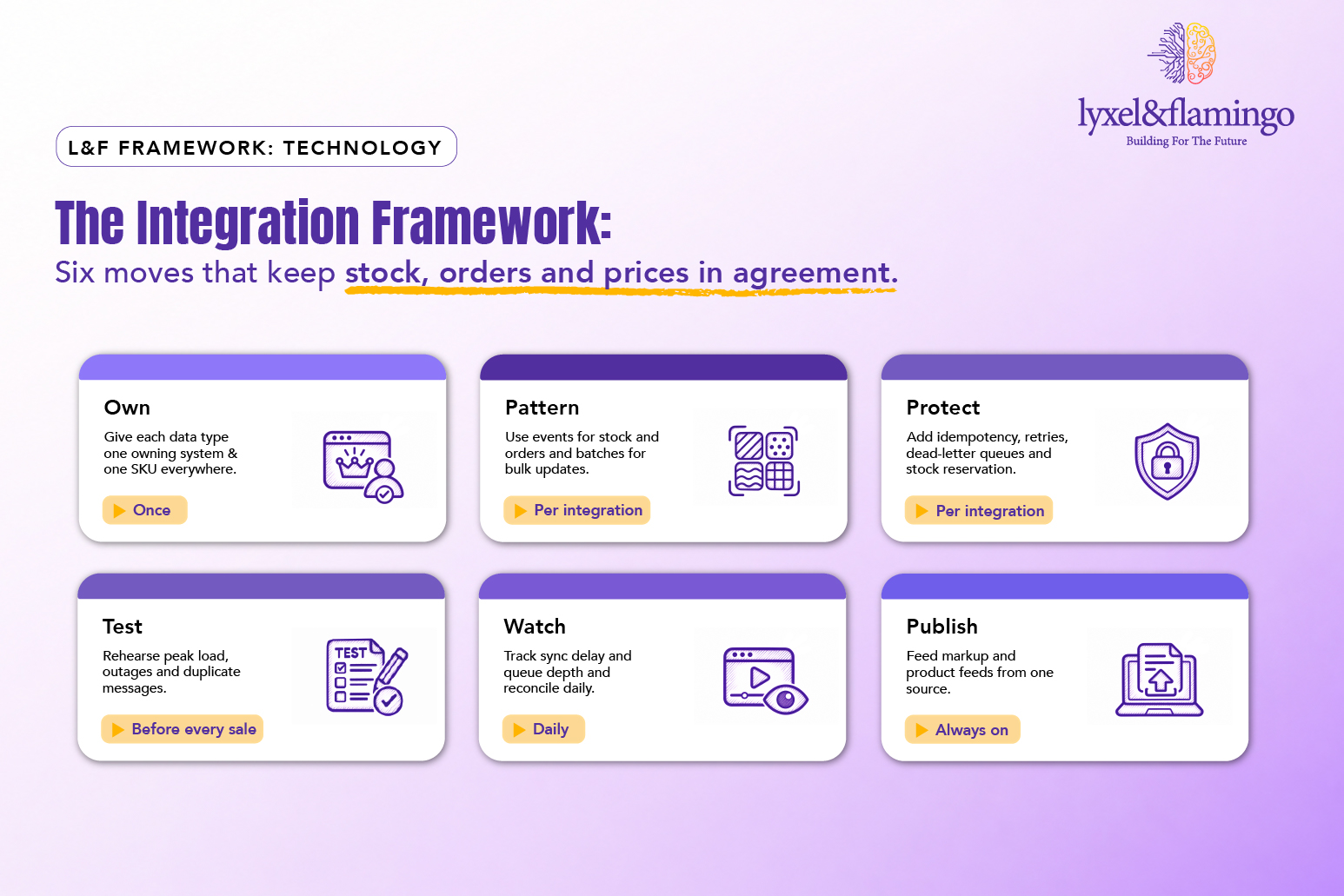
Framework Explained
Use the framework as a build order and as a pre-sale checklist. Each step closes one kind of failure that otherwise appears at peak volume.
Step 1: Own. Draw a map with each data type and its single owning system, and use one SKU everywhere. Check: one system alone writes each stock field.
Step 2: Pattern. Match the pattern to the need: events for stock and orders, scheduled batches for bulk updates and direct calls only where the shopper waits. Check: each flow has a stated pattern and delay.
Step 3: Protect. Add unique message references, retries with back-off, a dead-letter queue and stock reservation during checkout. Check: sending the same order twice creates one order.
Step 4: Test. Rehearse at two or three times your expected peak, take a warehouse system offline and change a price in the ERP. Check: the rehearsal results are written down and fixed before the sale.
Step 5: Watch. Track sync delay, queue depth and failed messages, and reconcile orders and units across systems every day. Check: a gap above a set threshold raises an alert.
Step 6: Publish. Generate structured data, product feeds and page content from one source of truth. Check: price and availability match on the page, in markup and in feeds.
CAPABILITY NOTE: Lyxel&Flamingo’s technology team builds ecommerce storefronts and the integrations behind them, including payments, inventory and order systems. This guide shares the working approach and points to related client engagements in the proof section.
Client Proof From Our Work
Integration quality decides whether stock, orders and invoices agree. These three engagements describe different integration stacks.
Pizza Pizza integrates a POS system, Stanley India uses Unicommerce and ClickPost, and Kenstar connects SAP to Shopify. Stanley India and Pizza Pizza publish outcome statements, and none of the three gives a conversion figure.
Key Takeaways
- Every data type needs one owning system and one shared identifier, usually the SKU.
- Use events for stock and orders, batches for bulk updates and direct calls only where shoppers wait.
- Design for failure with idempotency, retries, dead-letter queues and stock reservation.
- Test at peak volume with outages and duplicate messages before every sale.
- Feed markup, product feeds and pages from the same source so search and assistants see the same facts.
CXO Takeaway
If your warehouse system went down for an hour during your next sale, would orders queue safely or disappear? Ask your team to show the answer in a test instead of a slide. Lyxel&Flamingo’s technology team designs storefront and systems integrations around that kind of rehearsal.
Frequently Asked Questions
Connecting the storefront with the ERP so stock, orders, prices and invoices move between them automatically and accurately.
Use near-real-time events for stock and orders, and scheduled batches for large catalogue or price updates where a short delay is acceptable.
Name one owner for stock, reserve units during checkout, keep a small safety buffer for limited items and monitor sync delay.
Accurate price and availability data keeps rich results and assistant answers reliable, so shoppers arrive at products you can ship.