What this blog covers
A parent-child structure groups versions of one product, such as sizes and colours, under a single listing. Reviews, sales history and search signals gather in one place, shoppers choose options without leaving the page, and ads point at one strong asset instead of many weak ones. Success depends on grouping only true variants, using consistent attributes, keeping child listings complete and migrating carefully. Clear variation data also gives assistants and search engines clean facts about sizes, colours and availability.
Quick Answer: Group products that differ only by attributes a shopper chooses between, such as size, colour or pack count, under one parent. Keep products with different features, models or use cases apart. Give every child a complete title, images, price and stock status, pick one variation theme per family and use the same attribute values across your catalogue. When you migrate, merge the strongest listing’s history into the parent, check review and rank movement for a few weeks and mirror the structure on your own site with product group markup.
Table of Contents
- What a Variation Family Does
- Step One: Decide What Belongs Together
- Step Two: Design Attributes and Themes
- Step Three: Make Every Child Complete
- Step Four: Migrate Without Losing History
- Step Five: Advertise at the Parent Level
- Variation Data for Search and AI Assistants
- The Variation Framework
- Client Proof From Our Work
- Key Takeaways
- CXO Takeaway
What a Variation Family Does
A variation family has one parent and many children. The parent acts as the shared page and holds the common title, images and description. Each child carries the specific size, colour or pack, plus its own price, stock and identifier.
The benefits compound. On marketplaces that support variations, reviews on one child typically show across the family, so social proof stacks up. Sales on any child add to the page’s overall momentum, which helps organic rank. Shoppers can switch size or colour without returning to search results, which keeps them on your page instead of a competitor’s. For sellers, there is one page to maintain, one hero image set to improve and one destination for ads.
Our guide on why Amazon reviews are a hidden goldmine explains why review volume shapes conversion, and consolidation is one of the quickest ways to raise it.
Step One: Decide What Belongs Together
Ask one question: would a shopper see these as the same product in a different size or colour? If so, they belong together. A T-shirt in five colours and six sizes qualifies. A cotton T-shirt and a performance T-shirt sit apart, because the material, price and promise differ.
Watch for three traps. First, bundles and multipacks sometimes deserve their own listing because the buying decision differs. Second, a new model with different specifications belongs on its own page, since mixing it with the old one confuses reviews. Third, products with different compliance, ingredients or warranties should stay separate, because reviews that praise one version can mislead buyers of another.
Marketplaces publish rules about which attributes may vary within a family, and those rules differ by category. Check the current policy for your category in your seller account before you restructure anything, and keep a record of the rule you relied on.
Step Two: Design Attributes and Themes
Each family needs a variation theme, which is the set of attributes that change from child to child, such as colour and size. Pick the theme that matches how shoppers decide. Footwear usually varies by size and colour. A protein powder varies by flavour and pack size. A mattress varies by dimension and firmness.
Consistency matters more than cleverness. Use one spelling and one format for every value: “Dark Blue” everywhere, never “Navy,” “navy blue” and “DBlue” on different children. Use standard size labels, add measurements in the description for items where size varies by brand, and map your internal codes to shopper-friendly names. A tidy attribute sheet saves hours later and keeps marketplace filters accurate, so shoppers who filter by colour actually find your product.
Build a simple attribute dictionary before you touch a listing. Include the allowed values for each theme, the display order (sizes should run small to large) and the image rules for each colour.
Step Three: Make Every Child Complete
A family is only as strong as its weakest child. Each child needs a clear title, its own image set that shows the specific colour, accurate price and stock, and its own identifier such as a barcode where the marketplace requires it. Children with missing images or blank attributes create dead ends, and shoppers who hit them leave.
Keep stock status honest. A parent that shows ten colours with seven out of stock invites disappointment. Hide or suppress children you cannot ship, and bring them back when stock returns. Our guide on creating an Amazon listing covers the content fields, and the Flipkart listing guide explains the equivalent steps there.
Write the parent title for the shared product and leave colour and size out of it when the platform adds them automatically. Put the strongest hero image on the parent, since that image appears in search results and ads.
Step Four: Migrate Without Losing History
Moving existing standalone listings into a family needs care, because the page you keep inherits the rank and the pages you merge lose their own URLs.
Start with a spreadsheet of every listing in the group: its identifier, reviews, rating, sales rank, ad spend and organic share. Choose the strongest listing as the anchor, usually the one with the most reviews and the best sales history. Plan the new structure on paper, then make the change in a calm period instead of mid-sale. Avoid running it during a peak event, because ranking can wobble for a few days while the catalogue refreshes.
After the merge, check four things weekly for a month: review count on the family page, organic rank for your main terms, ad performance for the new parent and the conversion rate of each child. Keep a copy of old identifiers and map ad campaigns to the new structure. If a child lost its images or attributes in the move, fix it straight away.
Our guide on Amazon SEO across ranking, ads and conversion shows how these elements work together once the structure is in place.
Step Five: Advertise at the Parent Level
Ads reward consolidation. When every colour and size has its own listing, your budget splits across many weak assets and each campaign needs its own learning period. With one family, you can bid on the parent, let the shopper choose the child and read performance from one place.
Review the search term report to see which colours and sizes shoppers ask for by name, then make sure those children are in stock, priced well and shown first. Use that insight for creative too: lead with the colour that wins most orders. Our checklist on tips to increase Amazon conversion rate gives more ideas for the page itself, and our note on why ads cannot fix weak listings explains why structure and content come first.
Variation Data for Search and AI Assistants
Shoppers phrase needs as combinations: “women’s trail runners, wide fit, size 7.” Search engines and assistants answer those questions by reading structured facts about colour, size, availability and price. A clean variation structure supplies those facts in one place.
On your own site, mirror the marketplace structure. Google’s documentation on product variants structured data describes marking up a product group with ProductGroup, along with variesBy, hasVariant and productGroupID. Our overview of structured data and why it matters for SEO explains the wider picture.
Keep the same names, colours and sizes across your site, your feeds and your marketplace listings. When an assistant compares sources, matching facts build confidence, and conflicting ones create doubt. Our piece on generative AI in online shopping shows how these systems read product data.
The Variation Framework
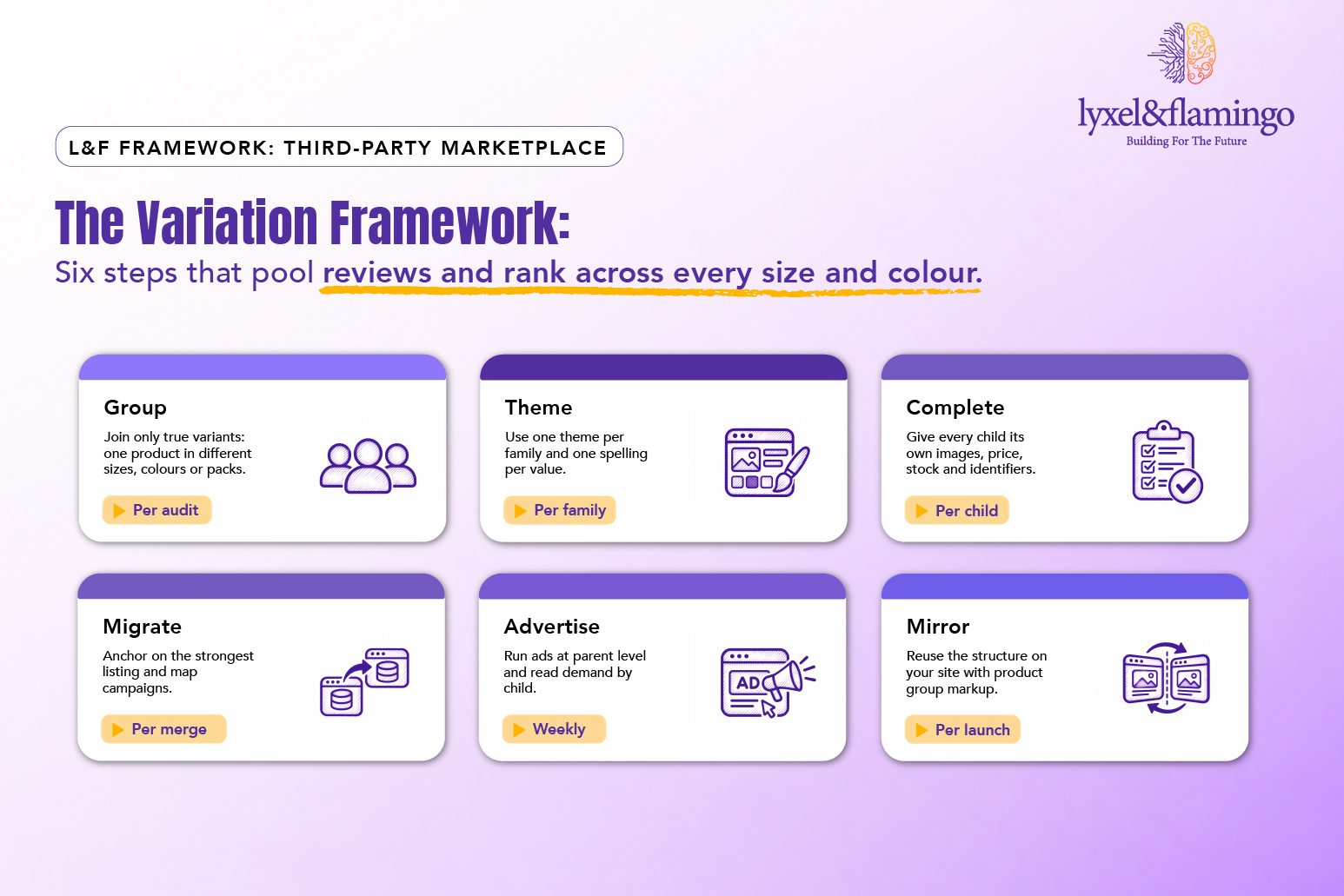
Framework Explained
Treat the framework as a migration plan as well as a design guide. Early steps decide what belongs together, and later steps protect what you already earned.
Step 1: Group. Group only products that shoppers see as the same item in a different size, colour or pack. Check: a reviewer can say why each child belongs to the parent.
Step 2: Theme. Choose one variation theme for each family and one spelling for each value, such as Dark Blue everywhere. Check: an attribute dictionary exists and the team follows it.
Step 3: Complete. Give each child its own images, price, stock status and identifier. Hide children you cannot ship. Check: every child shows an image and a full attribute set.
Step 4: Migrate. Pick the listing with the strongest reviews and sales as the anchor, map campaigns to the new parent and avoid peak events. Check: weekly checks on reviews, rank and conversion run for a month.
Step 5: Advertise. Bid at parent level and read demand by child so budget supports one strong page. Check: the search term report tells you which colours and sizes to push.
Step 6: Mirror. Mark up the same family on your own site and keep names consistent in feeds. Check: the colour name on the site matches the marketplace and the feed.
CAPABILITY NOTE: Lyxel&Flamingo’s marketplace team structures catalogues, listings and advertising together as part of third-party marketplace engagements. This guide shares the working approach and points to related client engagements in the proof section.
Client Proof From Our Work
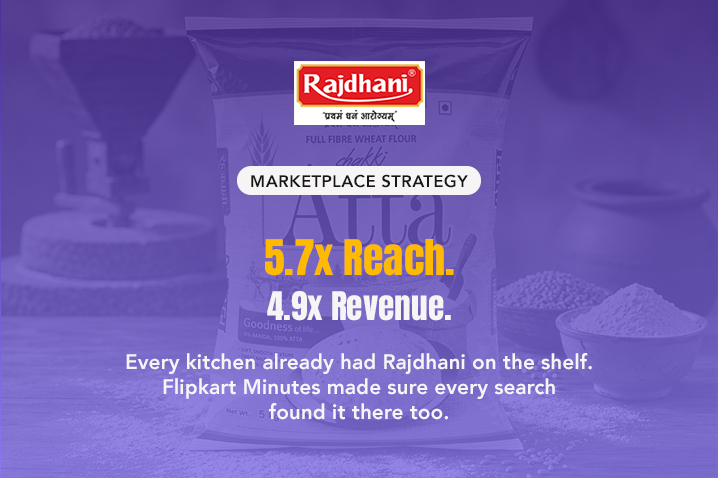
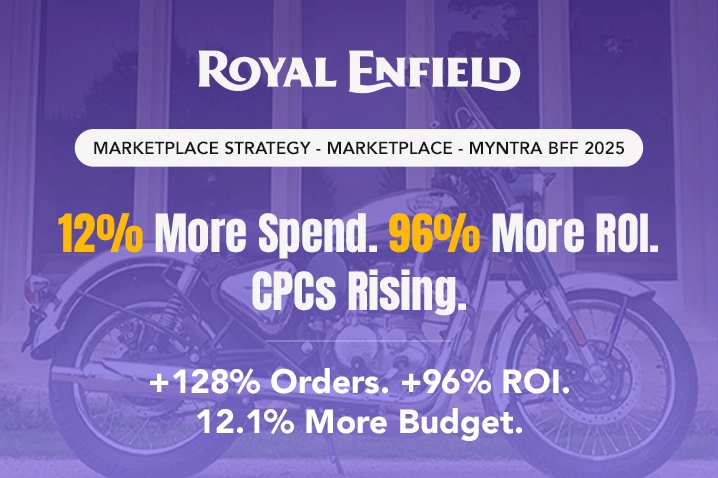
Clean structure raises the value of every rupee spent. Both engagements below began by dividing the catalogue into segments.
Neither case is about variation families, so read them as evidence for structure-first marketplace work. Check the periods before comparing figures.
Key Takeaways
- Group only products that shoppers see as the same item in a different size, colour or pack.
- Use one variation theme per family and one spelling per attribute value.
- Keep every child complete, with images, price and honest stock status.
- Migrate in a calm period, anchor on the strongest listing and track reviews and rank weekly.
- Mirror the structure on your site with product group markup so search engines and assistants read the same facts.
CXO Takeaway
How many of your best sellers sit on separate listings that could share one page of reviews? A catalogue audit usually answers that within a week. Lyxel&Flamingo’s marketplace team can map the groups and plan a safe migration.
Frequently Asked Questions
A structure in which one parent listing groups child listings that differ by attributes such as size, colour or pack count.
On marketplaces that support them, reviews and sales signals gather on one page, which tends to strengthen rank compared with scattered listings.
Only products that are true variants of each other, and only within the rules for your category. Check your marketplace policy before restructuring.
Clean, consistent attribute data gives assistants clear facts about size, colour and availability, so they can match specific queries to your product.