
What this blog covers
A Shopify migration that preserves every order, every customer record, and every organic ranking is not a matter of luck or a good platform choice. It is the product of a specific, structured discipline: a full pre-migration data audit, systematic 301 redirect mapping, and a launch approach built around confidence rather than hope. This blog breaks down what MedicAir’s zero-data-loss migration actually required, and what any brand planning a similar move should insist on before, during, and after launch.
Quick Answer: A zero-data-loss Shopify migration requires a structured pre-migration audit of every data category (orders, customer records, product history), complete 301 redirect mapping for every existing URL before launch, and a verification step that confirms data integrity rather than assuming a successful transfer. MedicAir’s migration from WooCommerce to Shopify preserved organic search rankings and all historical data by treating these as explicit, planned steps, not something the platform migration tool handled automatically.
Table of Contents
- Why “The Platform Handles It” Is a Dangerous Assumption
- The Pre-Migration Data Audit
- 301 Redirects: The Step Most Migrations Get Wrong
- Verifying Data Integrity Before Declaring Success
- What Launching With Confidence Actually Looks Like
- A Practical Pre-Migration Checklist
- Framework Explained
- Key Takeaways
- CXO Takeaway
Why “The Platform Handles It” Is a Dangerous Assumption
Migration tools and platform vendors often imply that moving to a new system is a largely automated, low-risk process. In practice, the risk concentrates in the parts no automated tool fully handles: mapping every existing URL to its new equivalent, verifying that every customer record transferred with full integrity, and confirming that organic search rankings, built over years, do not reset simply because the underlying platform changed.
MedicAir faced exactly this risk profile: aging WooCommerce infrastructure that had reached its performance limits, a complete data ecosystem to migrate, and established organic rankings that a careless migration could easily have reset. Treating the migration as a technical checklist rather than a data-integrity project is where most of the real risk in a platform move actually lives.
The Pre-Migration Data Audit
Before any data moved, the MedicAir migration included a structured audit of the complete data ecosystem, orders, customer records, product history, confirming exactly what existed and in what state before the transfer began. This baseline is what makes a genuine “zero loss” claim verifiable afterward, rather than an assumption nobody actually checked.
Without this audit, a brand has no reliable way to confirm after migration whether everything actually transferred, since there is no accurate record of what should have transferred in the first place. The audit is not a formality; it is the only way to make the post-migration integrity check meaningful.
301 Redirects: The Step Most Migrations Get Wrong
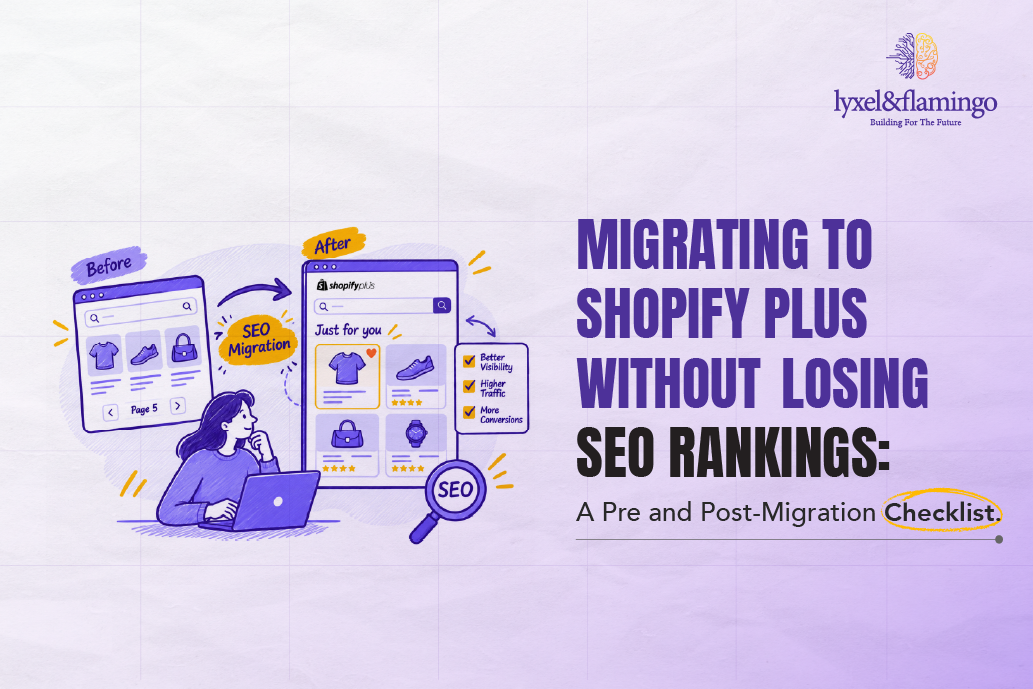
Every existing URL on the legacy platform needs a mapped 301 redirect to its new equivalent, done comprehensively and before launch, not patched in reactively after search rankings start dropping. This is one of the most common places migrations fail quietly: a partial redirect map that catches the obvious high-traffic pages, missing the long-tail product and content URLs that still carry real organic value.
MedicAir’s migration mapped SEO comprehensively before launch specifically to avoid the ranking-recovery period that an incomplete redirect strategy typically forces a brand into. The difference between “most pages redirect correctly” and “every page redirects correctly” is the difference between a smooth transition and months of organic traffic recovery.
Verifying Data Integrity Before Declaring Success
A migration should not be considered complete the moment the new storefront goes live and looks functional. Verification means actively confirming that order histories, customer records, and product data match the pre-migration audit exactly, not assuming a successful-looking launch means nothing was lost.
This is the step that let MedicAir launch, in the case study’s own words, “with complete confidence in the integrity of the data,” rather than launching and hoping issues would not surface later. That confidence was earned through verification, not assumed from a clean-looking storefront.
What Launching With Confidence Actually Looks Like
Beyond data integrity, MedicAir’s migration also addressed the underlying reasons a migration was needed in the first place: a mobile-first interface redesign to match premium product positioning, a streamlined checkout to reduce the friction that was driving cart abandonment, and integration of subscription commerce and customer engagement tools that the legacy platform could not support well.
This matters because a migration focused purely on data preservation, without addressing the functional reasons for moving, solves half the problem. The strongest migrations treat data integrity and functional improvement as parallel, not competing, priorities.
A Practical Pre-Migration Checklist
Before committing to a migration timeline, a brand should have a documented audit of every data category being moved, a complete 301 redirect map covering every existing URL, not just top-traffic pages, a defined verification process for confirming data integrity post-migration, and a plan for the functional improvements the migration is meant to deliver, not just the platform switch itself.
Skipping any of these does not necessarily mean a migration fails visibly. It means the risk gets discovered later, in a customer service ticket about a missing order, a ranking that quietly disappears, or a support conversation about a feature the new platform was supposed to fix.
Framework Explained
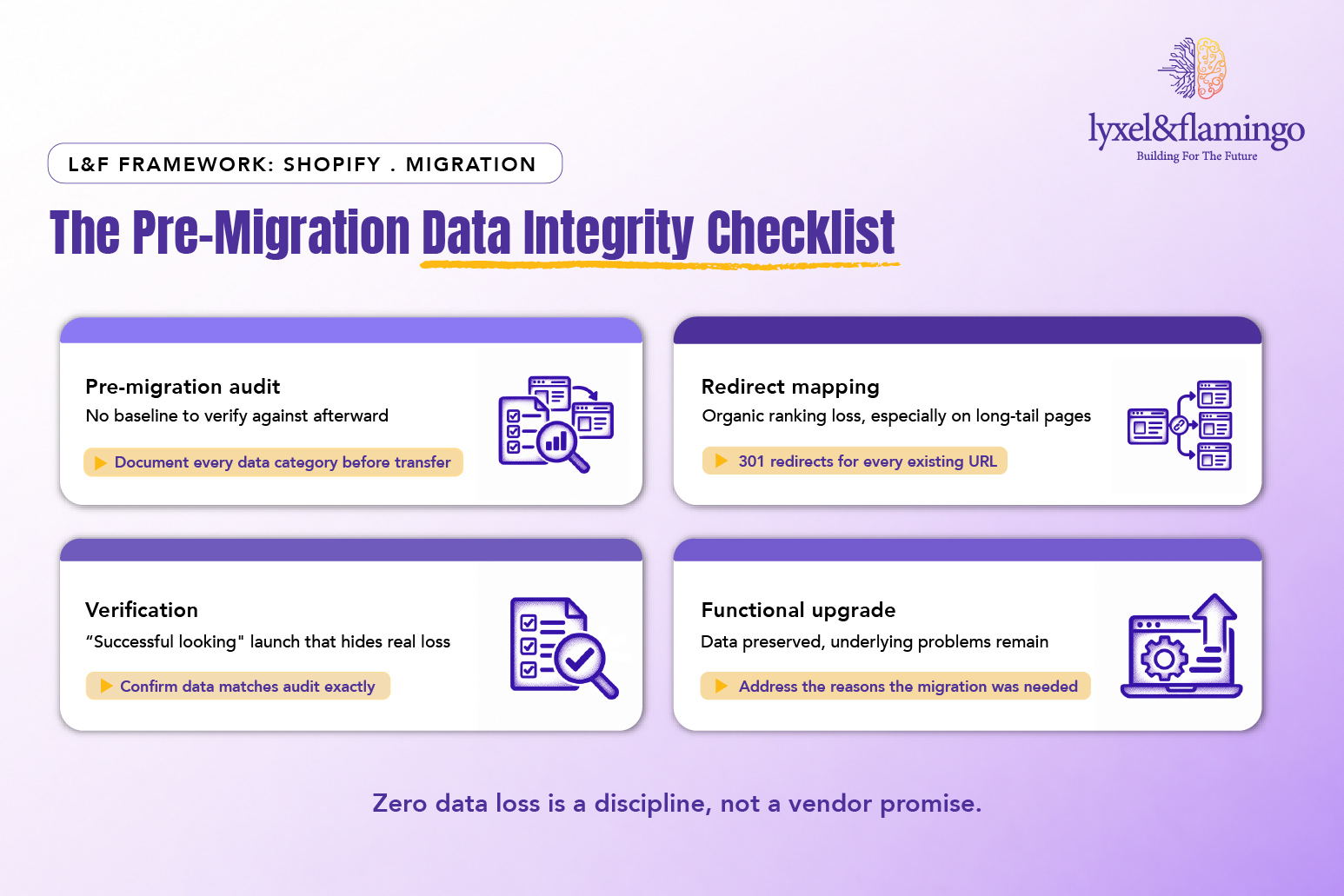
- Audit before you move anything: A documented baseline is what makes a zero-loss claim verifiable rather than assumed.
- Redirect everything, not just the obvious pages: Long-tail URLs carry real organic value that a partial redirect map quietly sacrifices.
- Verify, don’t assume: A functional-looking launch is not the same as a data-integrity-confirmed launch.
- Solve the whole problem: Data preservation and the functional reasons for migrating should be addressed together, not treated as separate projects.
✓ CLIENT PROOF POINT MedicAir’s migration from WooCommerce to Shopify preserved 100% of order and customer data, launched with organic search rankings intact rather than requiring recovery, and paired the migration with a mobile-first redesign and streamlined checkout. The approach relied on a structured data audit, comprehensive 301 redirect mapping, and verified data integrity before declaring launch complete. Read the full MedicAir case study.
Key Takeaways
- Zero data loss in a platform migration is a product of structured discipline, a pre-migration audit, comprehensive redirect mapping, and active verification, not an automatic outcome of choosing a good platform.
- Partial 301 redirect mapping that catches only high-traffic pages is one of the most common, and quietly damaging, migration mistakes.
- A migration should not be considered complete at a functional-looking launch; data integrity needs to be actively verified against the pre-migration audit.
- The strongest migrations pair data preservation with the functional improvements, checkout, mobile experience, that justified the migration in the first place.
CXO Takeaway
The question worth asking before committing to a migration timeline is not “will the platform handle our data.” It is: do we have a documented audit of every data category, and a plan to verify it all transferred correctly, before we call this migration done?
MedicAir’s zero-loss result was earned through that discipline, not assumed from a reputable platform choice.
If your next migration plan does not yet include a data audit and verification phase, Lyxel&Flamingo can build the same zero-loss framework that protected MedicAir’s rankings and customer data.
Frequently Asked Questions
This depends on catalog size and data complexity. It should be treated as a defined phase with its own timeline, not squeezed into the days immediately before a migration begins.
Those pages typically see a ranking reset and have to rebuild organic authority from a weaker starting position, a recovery process that can take months depending on how much traffic those pages previously carried.
Yes. A migration tool reporting technical success confirms the transfer process completed; it does not confirm the data matches the pre-migration state exactly, which is what an independent verification step checks.
MedicAir’s approach combined them, and this is generally more efficient than treating them as separate projects, since the platform is already being touched and tested during the migration itself.