
What this blog covers
A Shopify Plus migration can improve your store without costing you years of SEO progress, but only if the move is planned around search from the start. This guide explains how ecommerce brands can protect rankings, organic traffic, indexed pages, and valuable URLs before, during, and after migration. It covers the problems that commonly cause traffic drops, including missing redirects, incorrect canonical tags, broken structured data, JavaScript rendering issues, and poor launch checks. You will also get Lyxel&Flamingo’s Commerce Migration Shield, a practical five-layer approach covering the pre-migration audit, redirect mapping, staging validation, launch signal transfer, and post-migration monitoring. The guide explains why SEO should run alongside design and development rather than being left for the final QA list. It also includes a real migration example and a practical checklist covering URL inventories, 301 redirects, metadata, sitemaps, old-domain redirects, and structured data. The goal is simple: move to Shopify Plus without giving Google a reason to forget what already worked.
Table of Contents
- What Is Shopify Plus Migration SEO?
- The Problem With Treating This Like a Design Project
- Why Rankings Break During a Platform Switch
- The Evidence: What the Data Says
- The Commerce Migration Shield: Lyxel&Flamingo's Framework for This
- What This Looks Like In Practice
- Things to Do Before Your Next Migration Milestone
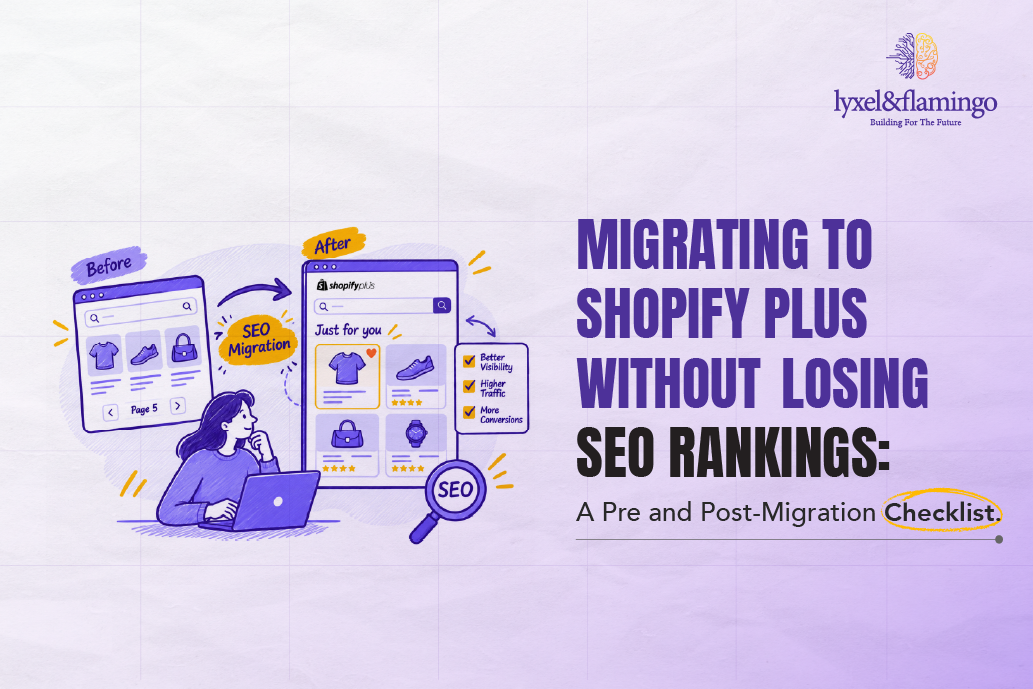
A normal platform migration causes a temporary traffic dip of 10 to 30%. Anything beyond that, a drop of 30 to 50% or more that refuses to stabilise, is not normal, and most of it is avoidable. This isn’t a minor traffic dip or Google fluctuation. Revenue drops hard, paid acquisition costs jump, and Tuesday meetings suddenly turn into uncomfortable questions about what went wrong.
Shopify Plus migration projects get sold on speed, checkout flexibility, and B2B features. Shopify Plus itself is rarely the problem. SEO gets treated as a line item to fix “after launch,” and that order is backwards. It’s the single biggest reason Shopify Plus migration seo disasters keep happening to brands that had healthy rankings for years before they moved. We’ve sat in the post-mortem calls. It’s rarely the platform’s fault. It’s the sequence.
What Is Shopify Plus Migration SEO?
Shopify Plus migration seo is the practice of preserving a website’s existing search rankings, indexed pages, and organic traffic while moving from another platform (or from standard Shopify) onto Shopify Plus. It covers URL mapping, redirect architecture, structured data continuity, and technical parity checks that run alongside the commercial and design work of the switch. Think of it as the discipline that decides whether your Shopify migration checklist protects revenue, or just gets the new store live.
It matters right now because Shopify Plus adoption among mid-to-large brands has kept climbing through 2025 and into 2026, and every one of those migrations carries the same structural risk. A brand doesn’t lose rankings because Shopify Plus is bad for SEO. It loses rankings because migration timelines get compressed and technical SEO gets scheduled as an afterthought instead of a parallel workstream.
The Problem With Treating This Like a Design Project
Most internal teams brief a Shopify Plus migration the way they’d brief a website redesign: get the new theme approved, get checkout working, get the product catalogue imported, launch. SEO shows up as a single checklist item somewhere near the bottom, usually assigned to whoever has bandwidth that week.
That’s the wrong mental model entirely. A redesign changes how a site looks. A platform migration changes the underlying URL structure, the server response codes, the way canonical tags get generated, and often the entire information architecture of the catalogue. Google’s own migration documentation is blunt about the stakes here: even with a technically sound move, it can take Google several weeks to gradually shift ranking signals to new URLs on a medium-sized site, and considerably longer for larger catalogues.
We’ve watched brands go into a migration assuming their domain authority just “carries over” automatically because the domain name didn’t change. It doesn’t work that way. Every URL is functionally a new entity to Google until the redirect and canonical signals prove otherwise, and that proof takes time you don’t get back. This is exactly the gap shopify seo migration planning exists to close, and it’s also where most “we’ll figure it out post-launch” plans fall apart fastest.
Rankings don’t migrate with the platform. Only the signals you deliberately preserve do.
Why Rankings Break During a Platform Switch
Here’s the part most agencies skip because it’s genuinely technical, but understanding it changes how you plan the whole project.
When you move onto Shopify Plus, the platform generates its own URL structure by default. Product pages typically shift to a /products/ path, collections to /collections/, and if you’re coming from Magento, WooCommerce, or a custom build, that structure rarely matches what you had before. Every one of those old URLs that Google has indexed and ranked over months or years now points to nothing, unless you build a redirect map that connects old to new.
This is where the damage compounds. A missing redirect isn’t just one dead link. It breaks the chain of “link equity,” meaning the accumulated authority signals other sites have pointed at that page over time. Google’s crawlers see a 404, treat the old ranking signal as void, and start from close to zero on the new URL. Multiply that across a catalogue of 2,000 SKUs, and you understand why traffic charts crater.
There’s a second mechanism at play, less obvious but just as damaging: canonical tag drift. Shopify’s templating engine auto-generates canonical tags based on its own logic, which can conflict with how your old site handled duplicate content (think filtered collection pages, or products that sit in multiple categories). Google is explicit that after a migration, every new URL needs its own self-referencing canonical tag, and any mismatch between the canonical and the served URL confuses which version gets indexed. If your migration vendor doesn’t audit this specifically, you end up with pages competing against their own duplicates for the same ranking slot.
And then there’s JavaScript rendering. Shopify Plus themes, especially custom-built ones with heavier front-end frameworks, can render key content client-side. If your product descriptions, reviews, or schema markup load only after JavaScript executes, some crawl paths may not fully process that content the same way a static HTML page would, which shows up as thinner-looking pages to search engines even though a human sees a rich page. This is one reason Shopify technical seo work on a Plus migration goes well beyond redirects. It has to include a rendering audit too.
Wondering how the same structured data that protects your rankings also helps AI engines find you? Read this blog: Entity-Based SEO: How Knowledge Graphs Are Replacing Keywords
The Evidence: What the Data Says
- A real-world case documented by Search Engine Journal in July 2025 showed an ecommerce brand losing roughly 30% of organic traffic post-migration, caused by a mix of broken redirects, incorrect canonical tags pointing at staging URLs, and analytics tracking that had been misconfigured during the switch. The same piece noted that sites which diagnosed and fixed these issues promptly tended to see recovery within four to twelve weeks, while sites that delayed the audit dragged the recovery out much longer. That 20 to 40% exposure window is common enough across documented migrations that treating it as the default risk, not the exception, is the only sane planning assumption.
- Shopify itself sunset the old checkout. Liquid customisation method on August 28, 2025, replacing it entirely with Checkout Extensibility. For any brand migrating from an older Shopify setup or a legacy platform with custom checkout code, this isn’t optional trivia. It means checkout page structure, and any schema or tracking scripts embedded in it, needs to be rebuilt using the new framework, not copy-pasted.
- Shopify closed FY2025 with $378.4 billion in gross merchandise volume, up 30% year over year, with Q4 2025 alone crossing $123.8 billion in GMV. That scale matters for one reason relevant here: more brands are migrating onto Shopify Plus right now than at almost any prior point, which means more migrations are being run on compressed timelines by teams who’ve done this once, maybe twice.
The Commerce Migration Shield: Lyxel&Flamingo’s Framework for This
We didn’t build this framework in a vacuum. It came out of watching the same three mistakes repeat across category after category, so we built a sequence that forces the SEO work to happen where it needs to sit: parallel to development, not after it.
- Pre-Migration Audit Layer: Before a single line of the new theme gets built, crawl the existing site completely. Export every indexed URL from Search Console, not just the ones in your sitemap (sitemaps miss orphaned pages that still rank). Document current meta titles, canonical structure, structured data types, and Core Web Vitals scores as your baseline. You cannot prove you protected rankings if you never measured what you started with.
- Redirect Mapping Layer: Build a 1:1 (or intelligently consolidated, where old pages genuinely merge) redirect map from every old URL to its new Shopify Plus equivalent, using 301 redirects specifically. This is the step teams most often outsource to “the developer will handle it,” and it’s the step most often handled badly. Developers map URLs by pattern-matching, not by checking which old pages carried real ranking value.
- Parallel Environment Validation Layer: Test the new site on a staging environment with noindex tags active, checking redirect behaviour, canonical output, and structured data rendering before DNS ever points to the new setup. In our work on commerce migrations, this is consistently the most under-invested step, and the one with the most immediate payoff. Catching a canonical mismatch in staging costs an hour. Catching it three weeks post-launch costs a ranking cycle.
- Go-Live Signal Transfer Layer: At launch, submit the updated XML sitemap immediately, request indexing on your highest-value URLs through Search Console, and keep the old domain’s redirects live for a minimum of twelve months. That matches Google’s own guidance on how long signal transfer can take.
- Post-Migration Monitoring Layer: Track rankings, indexation status, and crawl errors weekly for the first two months, not monthly. Ranking drops caught in week two are a redirect fix. Ranking drops caught in month two turn into a much longer recovery conversation.
Want your rebuilt Shopify Plus site to get cited by ChatGPT and Perplexity, not just rank on Google? Read this blog: Generative Engine Optimisation (GEO): How to Get Your Brand Cited by ChatGPT and Perplexity
What This Looks Like In Practice
A D2C brand we worked with came to us mid-migration from WooCommerce to Shopify Plus, after their initial development partner had already gone live with the new site and organic traffic had started sliding within the first ten days. The brief wasn’t “help us migrate.” It was “help us stop the bleeding.”
We ran a full audit against their pre-migration Search Console data, rebuilt the redirect map from scratch (the original one had mapped roughly 60% of URLs, leaving the remaining 404ing), corrected a canonical conflict where their collection pages were all self-canonicalising to the wrong pagination parameter, and resubmitted a corrected sitemap.
The interpretation matters more than the numbers themselves: none of this required new content, new backlinks, or new SEO strategy. It required fixing the technical debt the original migration introduced. For most brands asking whether shopify plus seo even needs a specialist, that’s the honest answer. It’s less about strategy and more about not breaking what already worked.
Things to Do Before Your Next Migration Milestone
- Export and archive your complete URL inventory from Google Search Console, not your sitemap. Sitemaps only show what you’re currently telling Google to crawl. Search Console’s performance report shows what’s earning clicks and impressions right now, including old or orphaned pages you may have forgotten still rank.
- Build your redirect map before development starts, not during QA. Assign someone to own this specific document. It should list every existing URL, its new Shopify Plus destination, and the redirect type, reviewed against actual traffic and ranking data, not guessed by folder structure.
- Freeze your meta titles and H1s at parity for the first 30 days post-launch. Changing on-page elements at the exact moment Google is trying to reassign ranking signals adds a second variable to a process that’s already unstable. Optimise later, once rankings have stabilised.
- Set a hard rule: redirects stay live for 12 months minimum. Don’t let a hosting cost conversation or a “let’s clean this up” instinct shut down old domain redirects early. Google’s own guidance treats a full year as the baseline window for complete signal transfer.
- Check your structured data rendering on staging, specifically with JavaScript disabled. If your product schema, review markup, or breadcrumb data disappears when JS is off, you have a rendering dependency that could affect how consistently that data gets picked up.
Curious what “ranking” even means once most answers get resolved without a click? Read this blog: Enterprise SEO in the AI Era: Ranking in Zero-Click & Answer Engines
Conclusion
The brands that come out of a Shopify Plus migration with rankings intact aren’t the ones with the biggest development budgets. They’re the ones who treated the redirect map with the same seriousness as the checkout design, and who didn’t let “we’ll fix SEO after launch” become the plan. Running a proper Shopify migration without losing seo playbook is not complicated work. It’s disciplined work, done in the right order. Twelve months from now, the gap between brands that protected their organic equity during this switch and brands that didn’t will be a lot harder to close than it would have been to prevent, and Shopify migration without losing rankings will look less like luck and more like process for the brands who got the sequence right.
If your team is getting ready to migrate to Shopify Plus and wants a second set of eyes on the redirect strategy before going live, book a complimentary technical SEO audit with our Commerce Strategy team.
Frequently Asked Questions
It's the technical and structural work of preserving your existing search rankings and indexed traffic while moving your store onto Shopify Plus. It covers redirects, canonical tags, structured data, and URL mapping, run alongside the platform switch itself rather than after it.
Documented cases show recovery typically starting within four to twelve weeks when technical issues are caught and fixed promptly, though Google itself notes full signal transfer can take several weeks on medium sites and longer on larger ones. Delayed fixes stretch this considerably.
Zero fluctuation isn't realistic, some short-term movement is normal even in a clean migration. But losing a meaningful share of rankings is avoidable. Brands that build a proper redirect map and freeze on-page changes for 30 days routinely hold their core rankings through the switch.
Incomplete redirect mapping, by a wide margin. Teams map obvious product-to-product URLs and miss collection pages, blog content, and filtered category URLs that had been earning traffic for years. Every unmapped URL becomes a 404 that erases accumulated ranking signal.
For most brands outgrowing standard Shopify's checkout, B2B, or automation limits, yes, provided the migration treats SEO as a parallel workstream, not a cleanup task. What counts as Shopify Plus migration seo best fit really comes down to catalogue size. A 200-SKU store needs a lighter process than a 15,000-SKU one with filtered navigation, but in both cases, rushed execution is what hurts rankings, not the platform switch itself.