
Flipkart is one of India’s largest and most trusted e-commerce marketplaces. With millions of active buyers across metros, Tier-2, and Tier-3 cities, it offers sellers access to a truly pan-India audience. For brands and businesses looking to scale online, listing on Flipkart remains a critical growth opportunity in 2026.
However, visibility and sales on Flipkart depend heavily on how well your products are listed. From images and pricing to inventory settings and quality checks, every detail impacts discoverability, conversion, and compliance. This is where structured online product listing and ongoing Flipkart listing optimization become essential.
This guide explains the complete Flipkart seller listing process, key requirements, common QC issues, and important terms every seller should understand.
What Is Product Listing and What Are the Prerequisites on Flipkart?
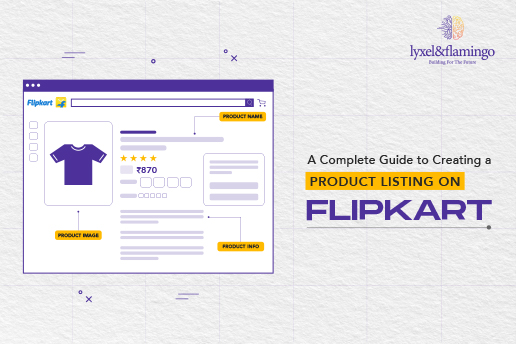
A product listing on Flipkart refers to the process of adding complete, accurate, and compliant product information to the marketplace. This includes titles, descriptions, images, pricing, inventory details, and backend attributes that help Flipkart classify and surface your product.
Before you begin listing on Flipkart, you must:
- Create a Flipkart seller account.
- Complete KYC and GST verification.
- Apply for brand approval if required for your category.
Once approved, sellers can start cataloging products individually or in bulk using Flipkart’s seller dashboard. Many businesses also rely on professional Flipkart product listing services and Flipkart cataloging services to avoid errors and speed up approvals.
Complete Guide to Listing a Product on Flipkart
1. Product Image Upload
High-quality images directly influence buyer trust and conversion. Flipkart requires images with a minimum resolution of 500 × 500 pixels. At least two images are mandatory, with a maximum of eight allowed.
Images should clearly show the front, back, sides, and important details of the product. A white background is preferred, and images must be sharp, accurate, and free from misleading elements.
2. Stock Keeping Unit (SKU)
Each product requires a unique Seller SKU, which Flipkart uses for inventory tracking and reporting. The SKU helps manage stock levels, pricing updates, and order fulfilment efficiently within the Flipkart seller listing system.
3. Status Details (Listing Status)
To make a product live, the listing status must be marked as active. Only active listings are visible to customers on Flipkart.
4. Price Details (MRP and Selling Price)
MRP and selling price must be clearly defined and compliant with Flipkart guidelines. The selling price should always be lower than MRP. Sellers should account for commissions, shipping, packaging, and platform fees before finalising pricing as part of effective Flipkart listing optimization.
5. Inventory Details (Fulfilment, Procurement, and Stock)
While filling inventory details, sellers must select the appropriate procurement type. Choosing procurement type instock in Flipkart ensures faster order processing and better service levels.
Failing to meet SLA commitments under “In Stock” listings can result in penalties or account suspension. Accurate inventory management is critical for consistent performance.
6. Shipping Provider Information
Flipkart offers logistics support through Ekart. Sellers may opt for self-shipment in specific cases, but Flipkart fulfilment is generally recommended for reliability and nationwide reach.
7. Delivery Charge Information
Flipkart requires sellers to define delivery charges clearly:
- Local delivery charge
- Zonal delivery charge Flipkart
- National delivery charge
Incorrect or missing delivery charges may lead to unexpected deductions or penalties.
8. Flipkart Plus
Flipkart Plus listings offer increased visibility to Plus members. While this can improve sales, sellers must account for delivery costs absorbed during Plus orders. Understanding this balance is important for margin planning.
9. Package Details
Accurate package dimensions and weight are mandatory. Incorrect details can lead to higher logistics costs, returns, or QC failure.
10. Tax Details
GST details, HSN codes, and applicable tax rates must be entered correctly. Flipkart provides guidance to help sellers choose the right HSN codes during listing.
11. Manufacturing Information
While optional, adding manufacturer, importer, and packer details builds credibility and supports bulk and B2B purchases.
12. Product Information
Correct category and sub-category selection improves discoverability. Detailed descriptions, accurate attributes, and high-quality images strengthen online product listing performance.
13. Search Keywords
Flipkart allows backend search keywords to improve discoverability. Only three words are allowed, and brand names should not be used. This step supports organic visibility within Flipkart search.
14. Key Features and QC Submission
Once all details are completed, submit the listing for QC. A request ID in Flipkart seller account is generated, allowing you to track approval status.
Typically, qc in progress Flipkart time ranges from 24 to 48 hours unless errors are identified. Instant QC may be available for select categories.
Why Do Products Fail Flipkart QC?
QC failures delay go-live and impact seller performance. Common reasons include:
- MRP visible on images.
- Blurred or incomplete product images.
- Incorrect weight or dimensions.
- Missing manufacturer or government license details.
- Missing manufacturing or expiry dates for regulated products.
Addressing these issues promptly and resubmitting ensures faster approval.
Conclusion
While the Flipkart listing process may seem complex initially, a structured approach makes it manageable. Accurate details, compliant images, correct pricing, and proactive inventory management are key to successful Flipkart seller listing in 2026.
Brands that invest in proper Flipkart cataloging services and continuous Flipkart listing optimization gain better visibility, higher conversions, and smoother operations across the platform.
At Lyxel&Flamingo, we help sellers simplify and scale their Flipkart presence, from end-to-end product listings and catalog optimisation to performance tracking, SLA compliance, and marketplace analytics.
FAQs
Q. What is Flipkart and how does it work for sellers?
A. Flipkart is an online marketplace where sellers list products and sell directly to customers across India using Flipkart’s logistics and payment infrastructure.
Q. How to create a Flipkart seller account in India?
A. You can register on the Flipkart Seller Hub by providing GST details, bank information, and completing KYC verification.
Q. How to list products on Flipkart seller account?
A. Products can be listed individually or in bulk by adding images, pricing, inventory, and product attributes through the seller dashboard.
Q. How to add or upload a product on Flipkart step by step?
A. After logging in, select the category, upload images, enter product details, set pricing and inventory, and submit the listing for QC approval.
Q. What is a product listing on Flipkart and why is it important?
A. A product listing displays all information customers see before buying. Well-optimised listings improve visibility, trust, and conversions.
Q. What is Request ID in Flipkart seller account and how to find it?
A. The Request ID is generated after submitting a listing for QC and can be found in the approval tracking section of the seller dashboard.
Q. What is QC in Flipkart and how long does Flipkart QC take?
A. QC ensures listings meet Flipkart guidelines. Approval usually takes 24–48 hours, depending on category and errors.
Q. What do Instock, Express, and Sales Package mean in Flipkart listing?
A. These define fulfilment speed, packaging, and service levels that impact delivery timelines and customer experience.
Q. What are Flipkart Plus, Style Code, and Domestic Procurement?
A. Flipkart Plus offers benefits to loyal customers, Style Code helps identify apparel variants, and Domestic Procurement defines how inventory is sourced.