

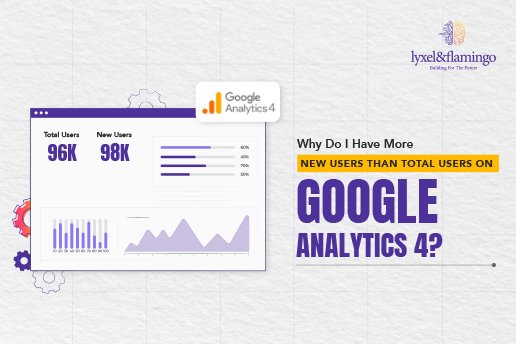
This question has become one of the most common points of confusion for marketers, founders, and analysts working with Google Analytics 4. Many users notice reports where new users higher than total users GA4 appears in dashboards, and at first glance, it feels mathematically impossible.
After all, total users should logically include new users plus returning users. So how can google analytics new users ever exceed total users?
The short answer is that GA4 measures users very differently from Universal Analytics. The longer answer requires understanding how GA4 defines activity, identity, and time-based counting. This guide explains exactly why this happens and how to interpret it correctly.
Understanding Users in Google Analytics 4
In GA4, users are not counted simply by visits. Instead, GA4 relies on an event-based model that prioritises engagement and activity. A user is only recognised when GA4 is able to record meaningful interaction signals.
This is why google analytics users vs new users reporting looks different from what many were used to in Universal Analytics. GA4 tracks users using device IDs, Google signals, and optional user IDs. Because of this, user counts are probabilistic rather than absolute.
GA4 also introduced a stronger focus on engagement quality. This is where the concept of active users becomes central to understanding discrepancies.
What Is a New User in GA4?
A new user in GA4 is someone who triggers a first_visit or first_open event and meets engagement criteria. This means the user must actually interact with the website or app in a meaningful way.
If someone lands on a page and leaves instantly without engagement, GA4 may not count them as a new user at all. This is a major shift from Universal Analytics, where any first visit was counted regardless of interaction depth.
Because of this logic, new users google analytics reports are tied closely to activity rather than just presence.
What Does Total Users Mean in GA4?
Total users represent the number of unique users who were active during a selected time range. This includes both new users and returning users, but only if they triggered qualifying engagement events during that period.
This means total users are not simply cumulative. They are filtered by activity within the reporting window.
This distinction explains why users vs new users google analytics comparisons can look inconsistent, especially when reports span different date ranges or engagement thresholds.
The Role of Active Users in GA4
GA4 places active users at the centre of its reporting model. A user is considered active if they meet at least one of the engagement conditions, such as spending time on the site or triggering key events.
Because of this, analytics active users often become the dominant metric in GA4 dashboards.
Here’s where the confusion starts. New users are counted when they first engage, even if their engagement window spans a boundary such as midnight. Total users, however, are counted per reporting window and only if activity is detected within that window.
This difference in timing and attribution leads directly to scenarios where new users appear higher than total users.
Why New Users Can Be Higher Than Total Users in GA4
GA4 resets certain user counts based on time boundaries, especially day-level reporting. If a user first engages shortly before midnight, GA4 may count them as a new user for that day.
If that same user does not remain active long enough after midnight, they may not be included in the total users count for the following day.
This behaviour is intentional. GA4 prioritises session accuracy and engagement fidelity over cumulative logic. As a result, new visitors Google Analytics reports can temporarily exceed total users.
This is not a data error. It is a consequence of GA4’s engagement-first model.
How This Differs From Universal Analytics
In Universal Analytics, users were counted primarily through cookies and sessions. Every first-time visit was recorded as a new user, regardless of engagement.
GA4 shifted away from this approach. It values engagement signals, event tracking, and cross-platform consistency more than simple visit counts.
Because of this shift, new users vs returning users metrics behave differently and should not be compared directly with older Universal Analytics data.
Interpreting New Users and Total Users Correctly
When analysing GA4 data, it is important to treat new users as an acquisition signal and total users as an engagement signal.
New users indicate how effectively your site is attracting first-time engaged visitors. Total users reflect how many users remained active within the selected time period.
This perspective helps explain why total visits Google Analytics may not align intuitively with user metrics in GA4.
Why Google Analytics Sometimes Shows Fewer Users Than Expected
Many teams assume GA4 is underreporting users. In reality, GA4 filters out low-quality interactions that Universal Analytics would have counted.
Short bounces, instant exits, and non-engaged visits may not contribute to user counts. This leads to leaner but more meaningful data.
Conclusion
Seeing more new users than total users in GA4 is not a bug, error, or tracking issue. It is the result of GA4’s engagement-based user model and time-bound attribution logic.
Once you understand how GA4 defines activity, identity, and reporting windows, these discrepancies become logical rather than alarming.
At Lyxel&Flamingo, we often see teams misinterpret these metrics when transitioning from Universal Analytics to GA4. Clarifying how GA4 treats active users, new users, and reporting windows helps marketers move from reactive reporting to more confident, insight-led analysis.
Instead of questioning the data, the focus should shift toward interpreting it correctly and using it to optimise acquisition and engagement strategies.
FAQs
Q. What is a new user in Google Analytics and how is it counted?
A. A new user is someone who triggers a first_visit or first_open event and meets engagement criteria.
Q. What are users in Google Analytics and GA4, and how does GA4 track them?
A. GA4 tracks users through event-based signals, device IDs, and optional user IDs.
Q. What is the difference between new users and returning users in Google Analytics?
A. New users are first-time engaged visitors, while returning users are previously recognised users who engage again.
Q. How to see new vs returning users in GA4 and Google Analytics?
A. These metrics are available in the User Acquisition and Engagement reports in GA4.
Q. What does active users mean in Google Analytics and GA4?
A. Active users are users who trigger engagement events within the reporting window.
Q. How does Google Analytics differentiate between new and returning users?
A. GA4 uses first-time engagement events and identity signals to classify users.
Q. Where to find unique users in GA4 and Google Analytics reports?
A. Unique users appear in standard GA4 user and engagement reports.
Q. Why does Google Analytics show fewer visitors than expected?
A. GA4 filters out non-engaged visits to improve data quality.
Q. How many active users or total users does Google track on websites?
A. Google tracks users based on engagement signals rather than raw visits.